
 The Omniquantics help desk
The support inbox your team likes to open.
Email, WhatsApp and website chat in a single inbox. The conversation and the customer’s context on one screen, deadlines that warn you before they slip, and Omni drafting the reply.
Free for up to 2 people · No card · Sign in with your Omniquantics account
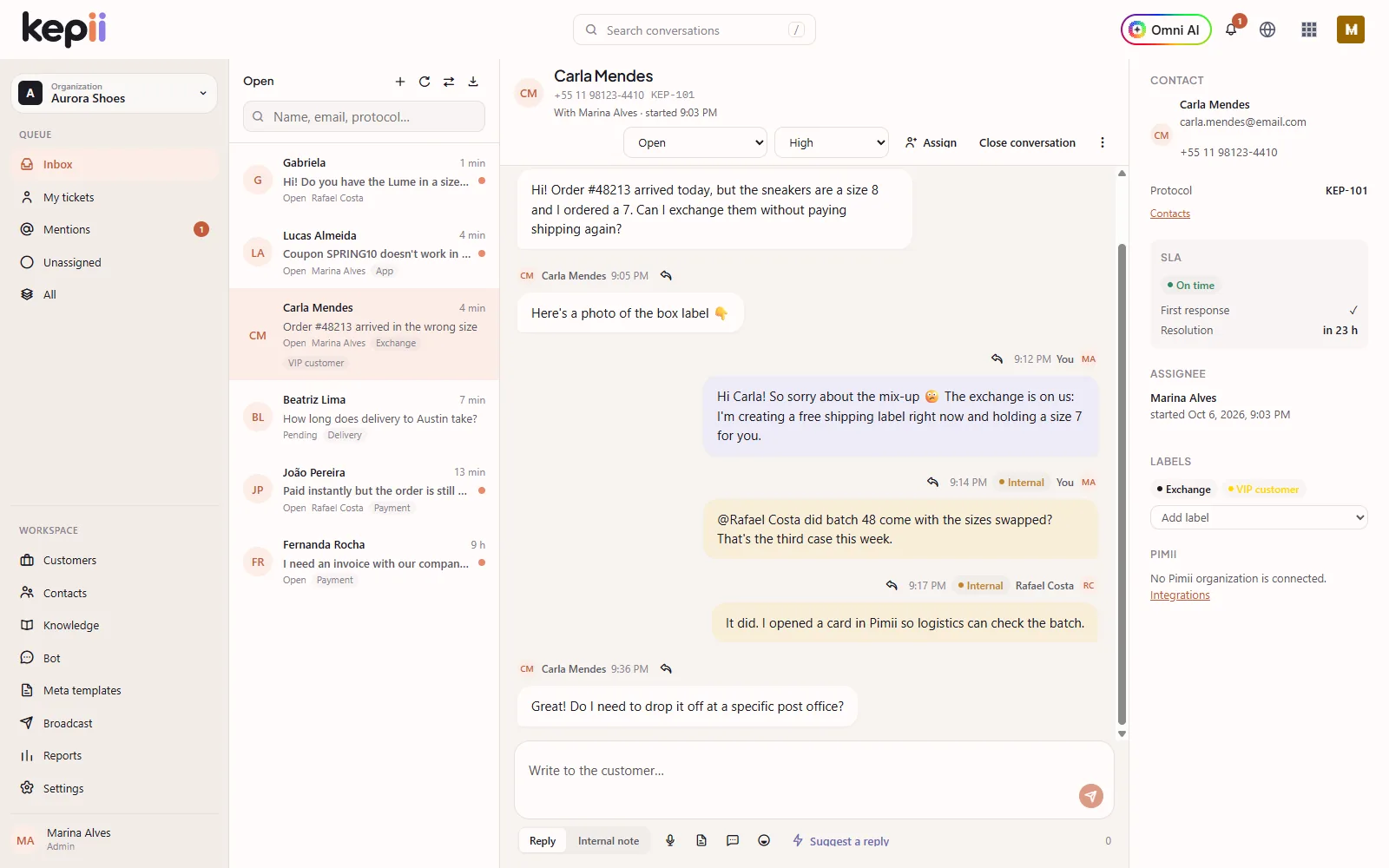

- 3channels in a single inbox
- 14languages in the app and help center
- OmniOmniquantics AI, from Pro up
- 1 clickfrom a ticket to a card in Pimii
Channels
Wherever customers reach out, it lands in the same place.
Every message becomes a ticket with a number, an owner and a deadline — whatever the channel.
-
Email
Forward your support address to Kepii. Replies go out from your own address, with your signature.
-
WhatsApp
Official WhatsApp (Meta Cloud API), with a welcome bot, approved templates and bulk sends.
-
Website chat
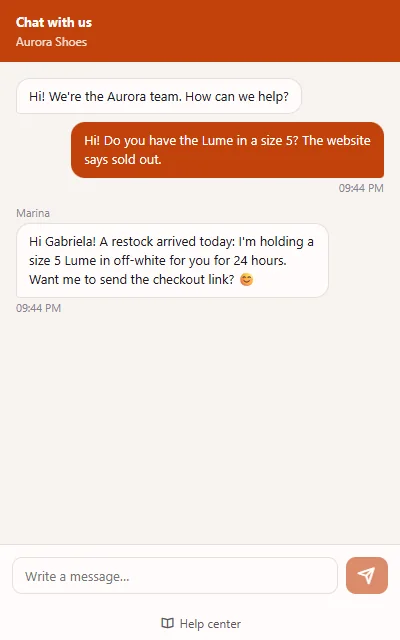
Paste one line on your site and the chat shows up in your color. If the visitor leaves, the reply arrives by email.
Inbox
Conversation in the middle. Context on the side. No tab switching.
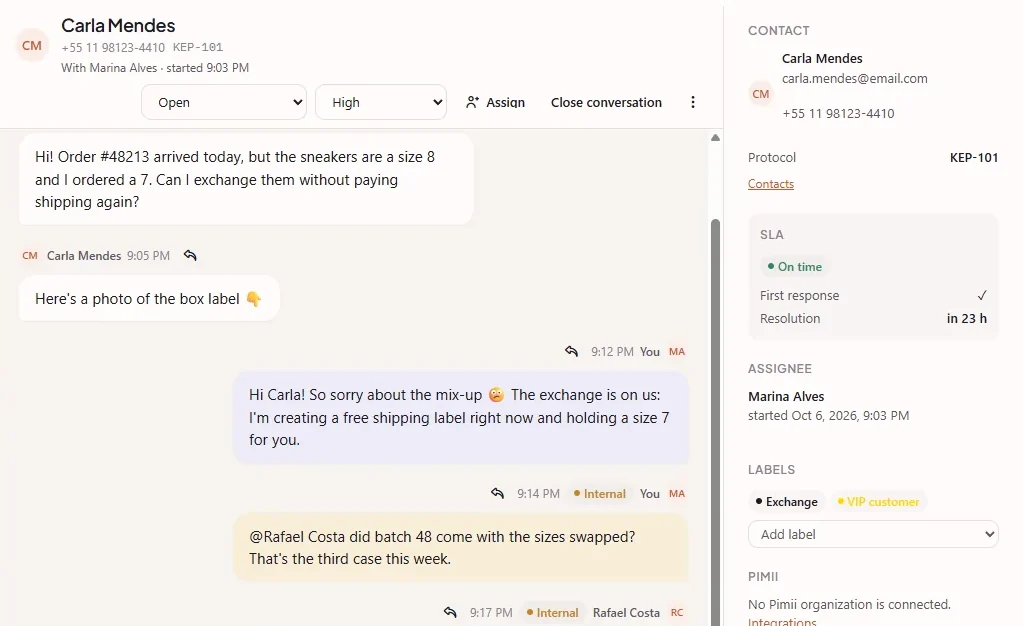
Queue, conversation and customer profile on one screen: history, deadline, labels and who’s on it.
- Internal notes and @mentions to pull in a teammate
- Saved replies with variables: type / and the text is ready
- Team queues and automatic assignment
Omni AI
The AI summarizes, searches and drafts. You hit send.
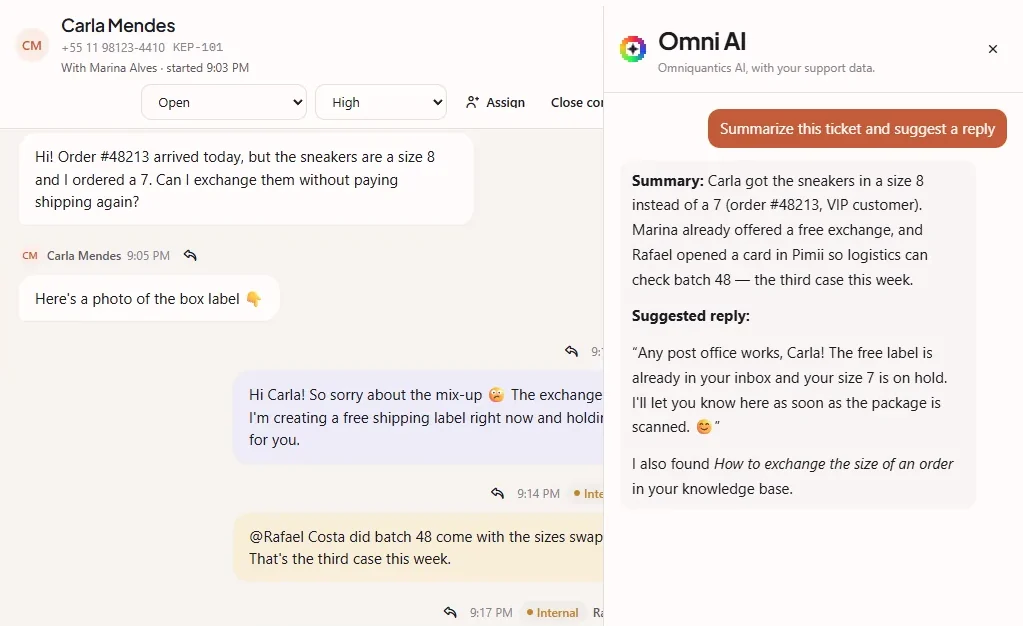
Omni reads the open ticket, your knowledge base and the customer’s history, then hands you a summary and a reply ready to review.
- A conversation summary in seconds
- Reply drafts in your company’s tone
- Internal notes and labels only with your approval

Help center
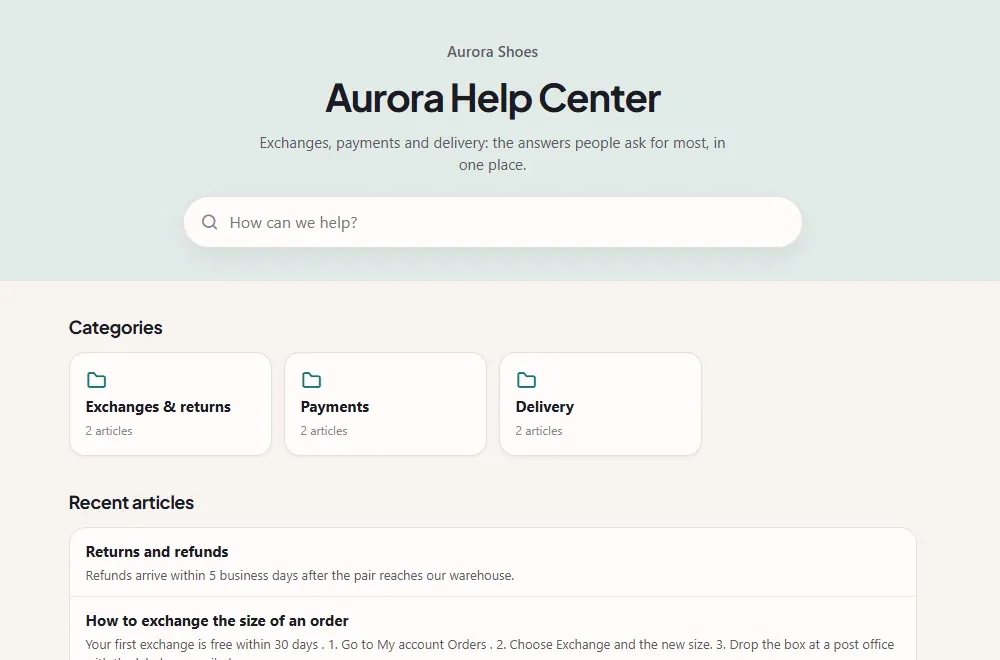
Half the questions are gone before they become tickets.
Publish your knowledge base articles in a help center with search, categories and your company’s name.
- Articles with drafts, versions and categories
- A public address, ready to show up in search
- Omni uses the same articles to answer
Reports
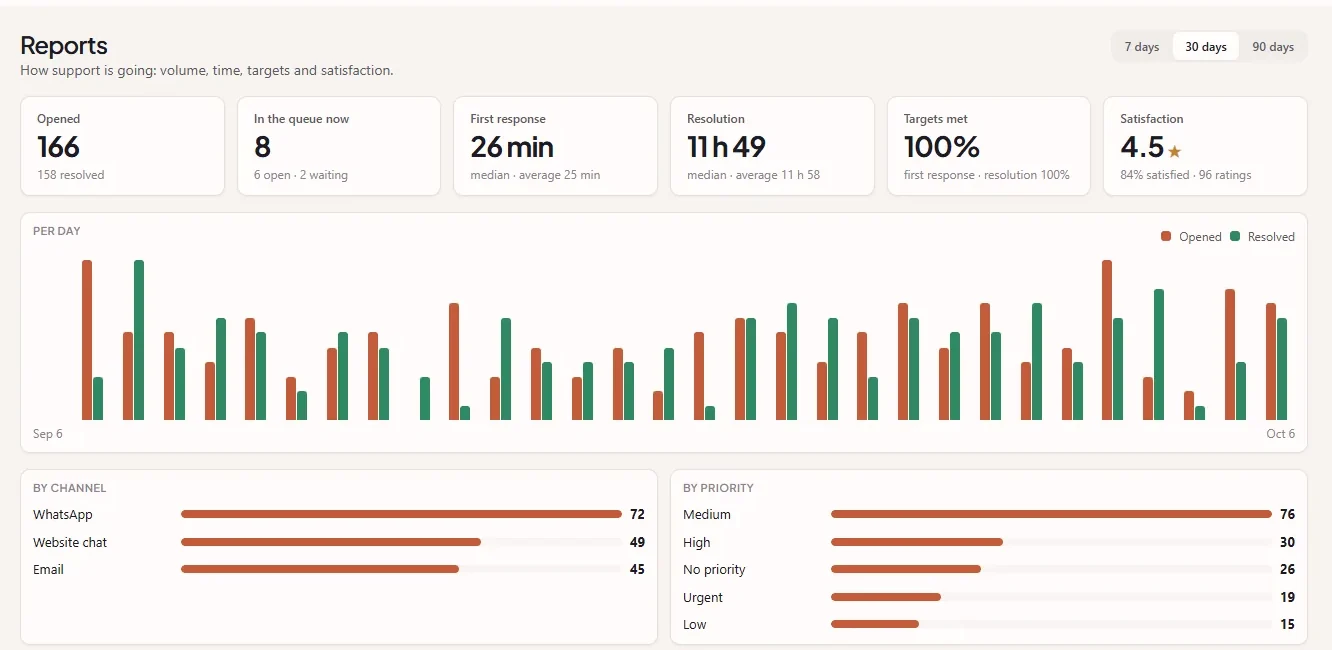
Know how support is doing without building a spreadsheet.
Volume per day, first response, resolution, targets met and the rating customers gave — by channel, priority and person.
- Automatic satisfaction survey on resolve
- SLAs that warn you before they slip
- Tickets exported to CSV
Features
What a support team uses every day.
-
Labels and priorities
Sort by topic and urgency and filter the queue in one click.
-
Automations
When / if / then rules: assign, label, change priority, notify.
-
Teams and queues
Support, Billing, VIP: each queue with its own members and permissions.
-
Companies and contacts
Company, people and ticket history in one record, with custom fields.
-
WhatsApp broadcasts
Send an approved template to a contact list and track delivery.
-
Entry bot
An automatic WhatsApp menu triages the request before it reaches the team.
-
Timely alerts
Mentions, assignments and deadlines about to slip show up in the app’s bell.
-
Virus-scanned attachments
Every incoming file goes through the antivirus before it opens.
-
Role permissions
Admin, agent and read-only, plus custom roles for your company.
Omniquantics
Kepii handles support. The rest of the company is already connected.
Kepii uses the same account, the same people and the same plan as the other Omniquantics apps.
-

Pimii
A request that turns into work goes to the team’s board as a card. When the card moves, the ticket knows.
-

Singularity
Company, people, seats and billing in one place, for every app.
-

Omni
The same AI in every app, with your plan’s message allowance.
Security
Everyone sees what they should. Nothing gets in unchecked.
-
Omniquantics account
One sign-in for every app: one less password to look after.
-
Real permissions
By role and by queue. The AI respects the same permissions as whoever asks.
-
Scanned attachments
Files go through an antivirus before they reach the team.
-
Privacy
Data handled under Brazil’s LGPD, with a public privacy policy.
Pricing
Start free. Grow when your team grows.
Per person, per month, billed yearly. Monthly billing is 20% more.
-
Starter
To start doing support right.
FreeStart free- Up to 2 people
- Email, WhatsApp and website chat
- Help center with up to 25 articles
- Satisfaction survey
-
Recommended
Pro
For the everyday support team.
$8/person/mo billed yearly · or $9.60 monthlyStart with Pro- Up to 25 people
- Omni AI: summaries and reply drafts
- Up to 5 queues, plus automations
- Custom fields and unlimited articles
-
Business
For when support comes with a contract.
$16/person/mo billed yearly · or $19.20 monthlyStart with Business- Up to 100 people
- SLAs with business hours and by priority
- Your brand on the help center and chat
- Queues and automations at scale
-
Enterprise
For large operations.
CustomTalk to us- No cap on people
- Annual contract and invoicing
- Dedicated support
Every Omniquantics app together: $10 on Pro or $18 on Business, per person/month. Compare plans
Questions
Frequently asked questions
Is Kepii free?
Yes. Starter is free for up to 2 people, with no card and no end date. When your team grows, you change plans in Singularity.
Which channels does Kepii support?
Email, WhatsApp (Meta’s official API) and website chat. They all land in the same inbox, with the same SLAs and the same reports.
How does the AI work?
Omni, the Omniquantics AI, summarizes tickets, searches the knowledge base and drafts replies. It never sends anything to a customer on its own, and actions like internal notes and labels ask for your approval. It’s included in Pro and Business, within the plan’s message allowance.
Do I need to install anything?
No. Kepii runs in the browser. For the website chat, you just paste one line of code.
Does it work with Pimii?
Yes. A ticket that turns into work becomes a Pimii card in one click, and the ticket is updated when the card moves.
Which languages does Kepii support?
The app and the help center are available in 14 languages, including English, Spanish, Portuguese, French and German.
Is my data safe?
Access goes through your Omniquantics account, each person only sees what their role allows, and attachments are scanned for viruses. Data is handled under Brazil’s LGPD.
How does billing work?
Per person with a Kepii seat, billed yearly or monthly, in US dollars (card) or Brazilian reals (Pix, boleto or card). The subscription lives in Singularity, alongside the other Omniquantics apps.

Open Kepii today and answer your first customer in minutes.
Free for up to 2 people. No card.